Your team is already using ChatGPT. Here’s the safe path.
Your team is already using ChatGPT with company data. Learn which plans train on chats, what to do this week, and get a one-page AI use policy.
2026-11-09 · Chris Coulson
An owner’s guide to shadow AI, ChatGPT settings and a governed AI workspace.
By Chris Coulson, Coulson Technologies · York, PA
Chris Coulson has 40+ years of IT experience and runs Coulson Technologies in York, PA.
If your employees use AI at work, the safe path is not a ban. Find out what they use, close the easy gaps this week, put a one-page policy in writing, and move work onto a company-managed AI workspace you control.
Earlier we wrote about what employees share with AI and why rules matter. This guide is the next step: what the settings actually do, what to change now and what a governed setup looks like.
Are employees using ChatGPT with company data?
Probably, even if no one has asked permission. Large surveys show most workplace AI use starts with employees, not with the company.
Microsoft and LinkedIn’s 2024 Work Trend Index found that 75% of knowledge workers surveyed use AI at work. Of those users, 78% bring their own AI tools, and the report puts that figure at 80% in small and medium-sized companies. KPMG’s 2025 study reported that half of U.S. workers use AI tools without knowing whether it is allowed, and 46% admitted uploading sensitive company information to public AI platforms.
That is what “shadow AI” means: helpful people using tools the business never chose, set up or checked. For a small business, the worry is not bad intent. It is that nobody knows which accounts, settings or information are involved.
Is ChatGPT safe for business data?
It depends on the plan and the settings. A personal account and a company-managed business workspace handle your information differently, so “Is ChatGPT safe?” is really “Which ChatGPT, set up by whom?”
OpenAI publishes how it uses data for each plan. The risk is that each employee’s personal account follows that person’s settings, not yours, and you cannot see or manage it.
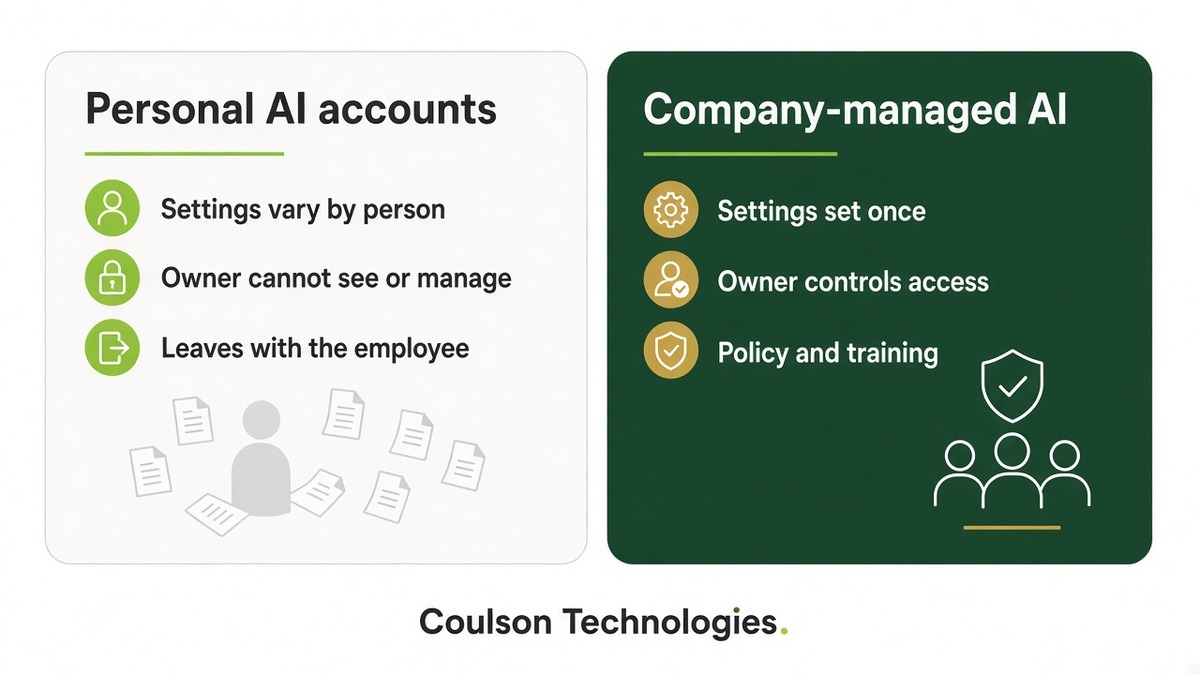
Which ChatGPT plans use conversations to train models?
Personal plans can; business plans do not by default. Here is how OpenAI currently documents it.
- Personal plans (Free, Plus and Pro): According to OpenAI’s help article on model training, OpenAI may use your content to train its models. Data sharing is on by default for these personal workspaces.
- How to opt out: Go to Settings, then Data controls, and turn off “Improve the model for everyone,” or choose “Do not train on my content” in OpenAI’s Privacy Portal. This applies to new conversations. Even after opting out, clicking thumbs up or thumbs down on an answer may let OpenAI use that entire conversation for training.
- Temporary chats: These are not used for training while they stay temporary, but OpenAI says they may be kept for up to 30 days for safety purposes.
- Business plans (ChatGPT Business, Enterprise and Edu) and the API: OpenAI says it does not use their inputs or outputs to train models by default, according to its enterprise privacy page. In ChatGPT Business, workspace admins can control how long data is kept and can view, export and delete members’ conversations.
“Not used for training” does not mean “never stored.” Every plan keeps some data for some time, so your policy still needs to say what never goes in.
What should an owner do about shadow AI this week?
Start with a friendly question, not a crackdown. These five steps take a small business from guesswork to a plan.
- Ask your team what they use. Make it safe to answer honestly. You need the real list of tools, accounts and tasks.
- Close the easy gap today. Anyone using a personal account for work should turn off “Improve the model for everyone” and avoid using thumbs-up or thumbs-down feedback on work chats.
- Hand out the one-page policy below. Fill in the blanks, talk through it for ten minutes and have everyone sign it.
- Choose one approved tool on company accounts. A managed workspace means the business, not each employee, controls who has access, how long data is kept and what happens when someone leaves.
- Train people and check in. Show the team good uses for their actual jobs, then revisit the tool list as AI changes.
What should a ChatGPT policy for a small business say?
Keep it to one page that answers four things: which tool is approved, what never goes in, who checks the output and whom to ask. Copy the policy below, replace the bracketed fill-ins and give it to every employee.
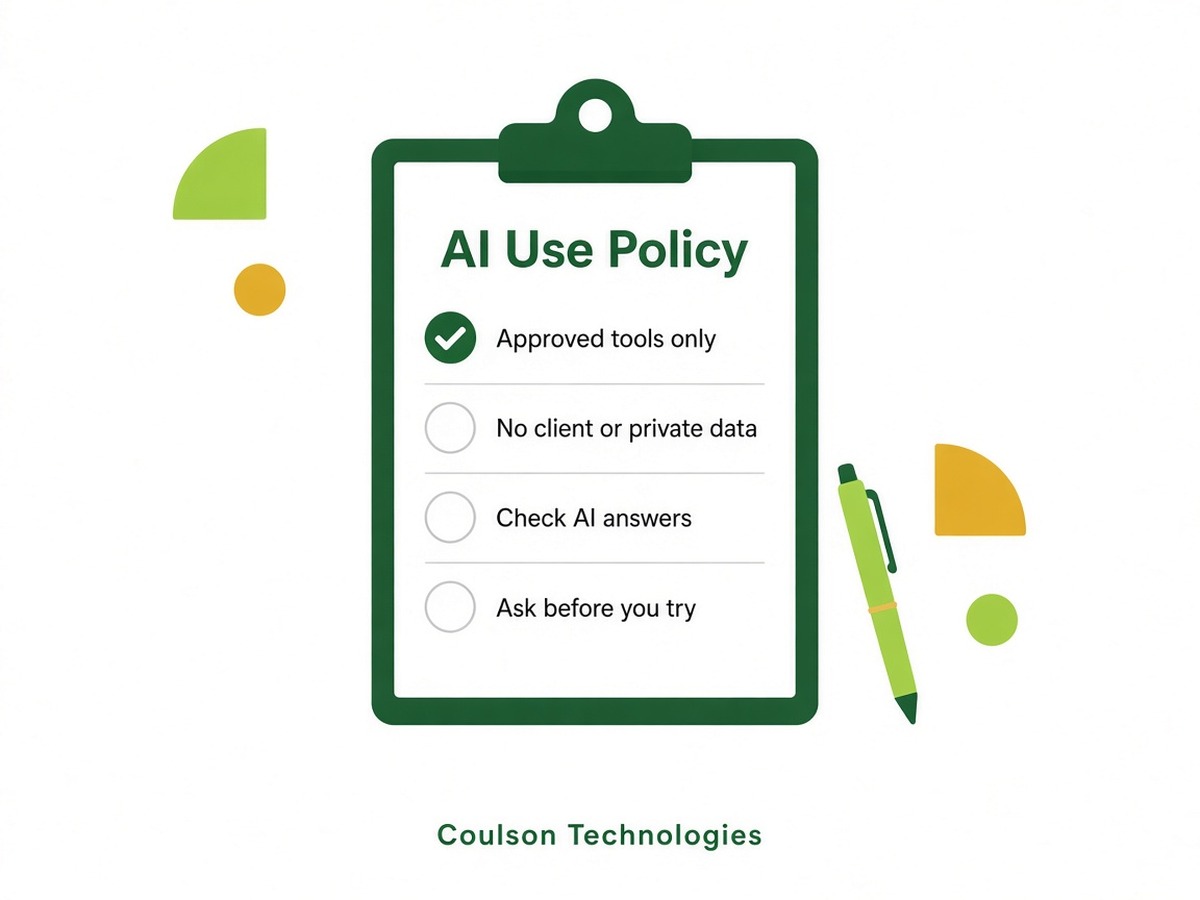
[Company Name] AI Use Policy
Effective [date]. One page. Questions go to [who to ask].
Why we have this: AI tools can save time. They can also expose client or company information if we use the wrong tool or the wrong settings. This policy tells you what is allowed so you do not have to guess.
1. Use only approved AI tools for work. Our approved tool is [approved tool]. Sign in with your work account, not a personal one. Do not use other AI websites, apps or browser add-ons for work until [who to ask] says yes.
2. Never put these into any AI tool unless [who to ask] has approved that specific use in writing:
- Client or customer names, contact details, account numbers or records
- Passwords, login codes or security details
- Employee, payroll or HR information
- Medical, financial or other regulated information
- Contracts, pricing, bids or anything marked confidential
3. Check every answer. AI can sound sure and still be wrong. A person reviews AI-written work before it goes to a client, gets posted or is used to make a decision.
4. Do not connect AI to company systems on your own. Linking an AI tool to email, files, calendars or client systems needs approval from [who to ask].
5. Ask before you try something new. Found a tool that could help? Tell [who to ask]. We would rather review it with you than have you use it quietly.
6. Speak up fast if something went wrong. If you pasted something you should not have, tell [who to ask] right away. You will not be in trouble for reporting it quickly.
I have read this policy and will follow it.
Employee name: [employee name] · Signature: [signature] · Date: [date]
Fill-ins such as [Company Name] and [approved tool] are for you to complete. A downloadable copy is included with this guide.
Download the one-page AI use policy (Word)
What is the difference between private AI and public ChatGPT?
A private, governed AI workspace is set up for your company, with company accounts, central settings, a written policy and someone responsible for it. Public tools on personal accounts leave each employee to make those decisions alone.
Buying business seats is one part of that. Governance also means choosing approved tools, setting access by role, training people and reviewing how AI is used over time.
That is what Coulson Technologies’ Managed AI service is built to do. As our Managed AI page describes it, we deploy a private, purpose-built AI environment for your organization, managed by the same team that handles your infrastructure, security and compliance. It includes private AI chat, onboarding and training, a tailored AI acceptable use policy, shadow AI governance with role-based controls and usage visibility, and ongoing AI advisory. Our AI Workspace page explains the day-to-day workspace your team would use.
Want help moving your team from personal accounts to a governed setup? Talk to our team about Managed AI. We are based in York, PA, serving businesses across South Central Pennsylvania.
We improve the way you work.
What else do owners ask about employees using AI?
These short answers cover the most common follow-up questions.
Should we just ban ChatGPT at work?
A ban usually pushes AI use out of sight. Approving a safe tool and writing clear rules gives employees a better option than hiding it.
Does turning off “Improve the model for everyone” make a personal account safe for client data?
No. It stops new conversations from being used for training, but the company still cannot manage that personal account. Keep client data out of personal AI accounts.
Does OpenAI train on ChatGPT Business conversations?
OpenAI says it does not use ChatGPT Business, Enterprise or Edu conversations to train its models by default, unless the organization opts in.
Can AI answers be trusted without checking?
No. AI can sound confident and still be wrong. A person should review anything that goes to a client or drives a decision.
Do small businesses really need an AI policy?
Yes, if anyone on the team uses AI for work. A one-page policy tells employees which tools are approved and what information never goes in.
Which sources support this guide?
Outside facts in this guide come from these pages, checked November 9, 2026. Service details come from our own Managed AI and AI Workspace pages.