Microsoft Is Ending Text-Message Sign-In Codes on February 1. What Does Our Office Need to Do?
Microsoft stops sending its own text and phone-call sign-in codes on Feb 1, 2027. Here's who in your office is affected and how to move them to passkeys.
2026-11-20 · Chris Coulson
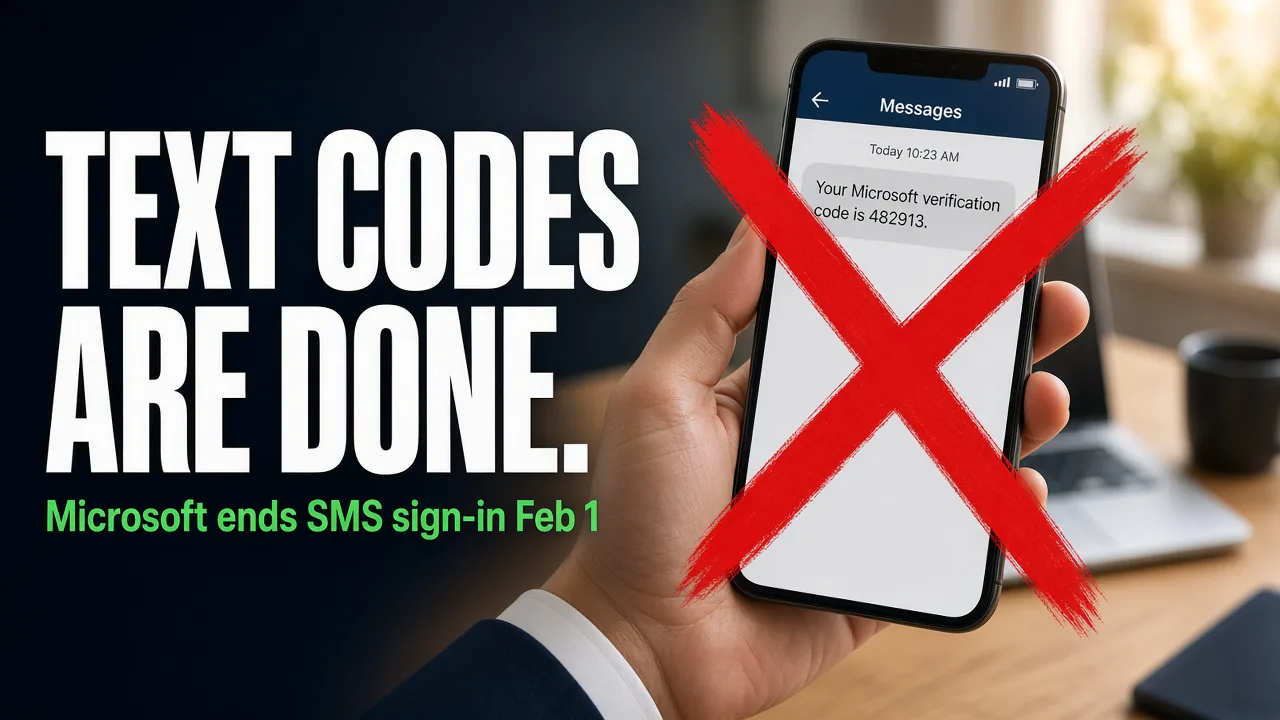
If anyone in your office still signs in to Microsoft 365 with a code sent by text message or a phone call, that stops working the way it does today on February 1, 2027. Microsoft is retiring the text and voice codes it sends itself. Your staff need to move to a passkey (in the Microsoft Authenticator app, Windows Hello, or a security key) before then. If they don't, Microsoft will make them set one up the next time they sign in, and they can't skip it.
This isn't a reason to panic, but it's a reason to act this winter instead of the morning of February 1.
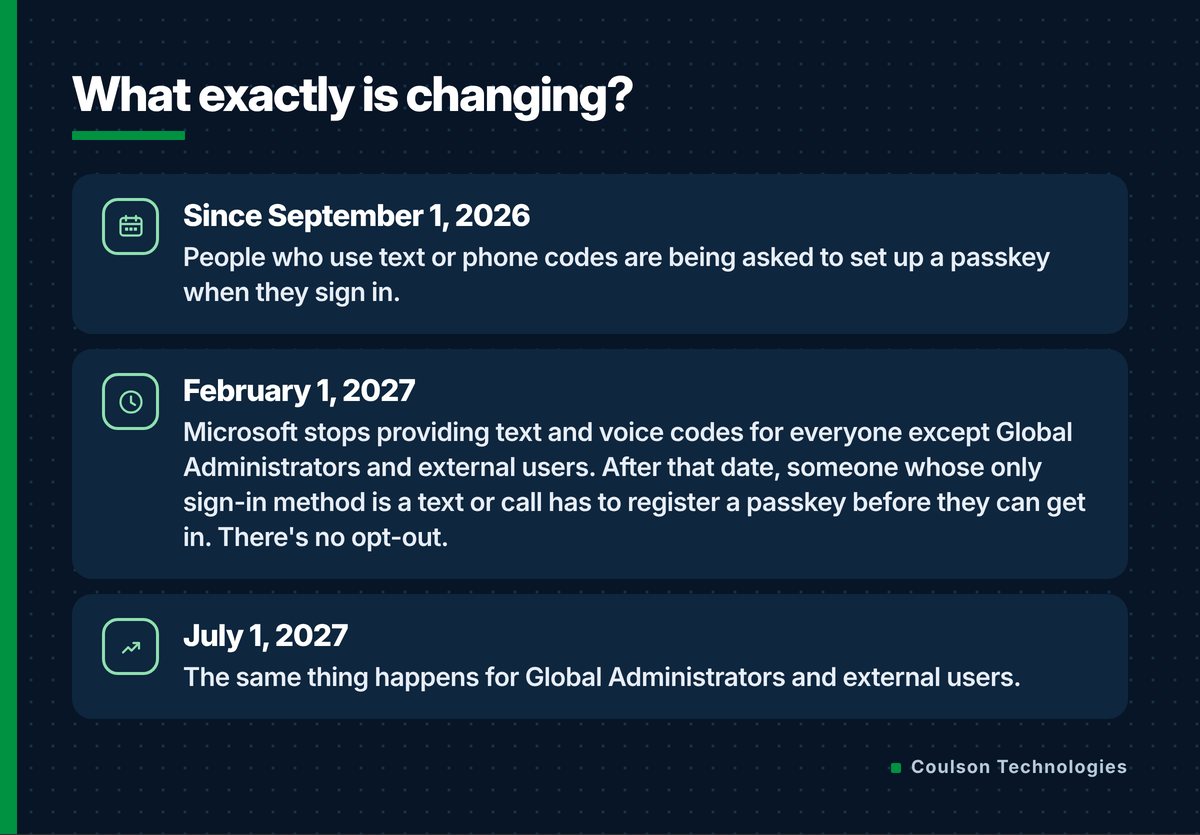
What exactly is changing?
Microsoft has published the timeline on its own retirement page.
Microsoft's reason is simple: text codes can be phished, intercepted, or stolen through a SIM swap. Passkeys are built so a fake login page can't capture them.
Who in our office does this affect?
Usually it's a handful of people, not everyone.
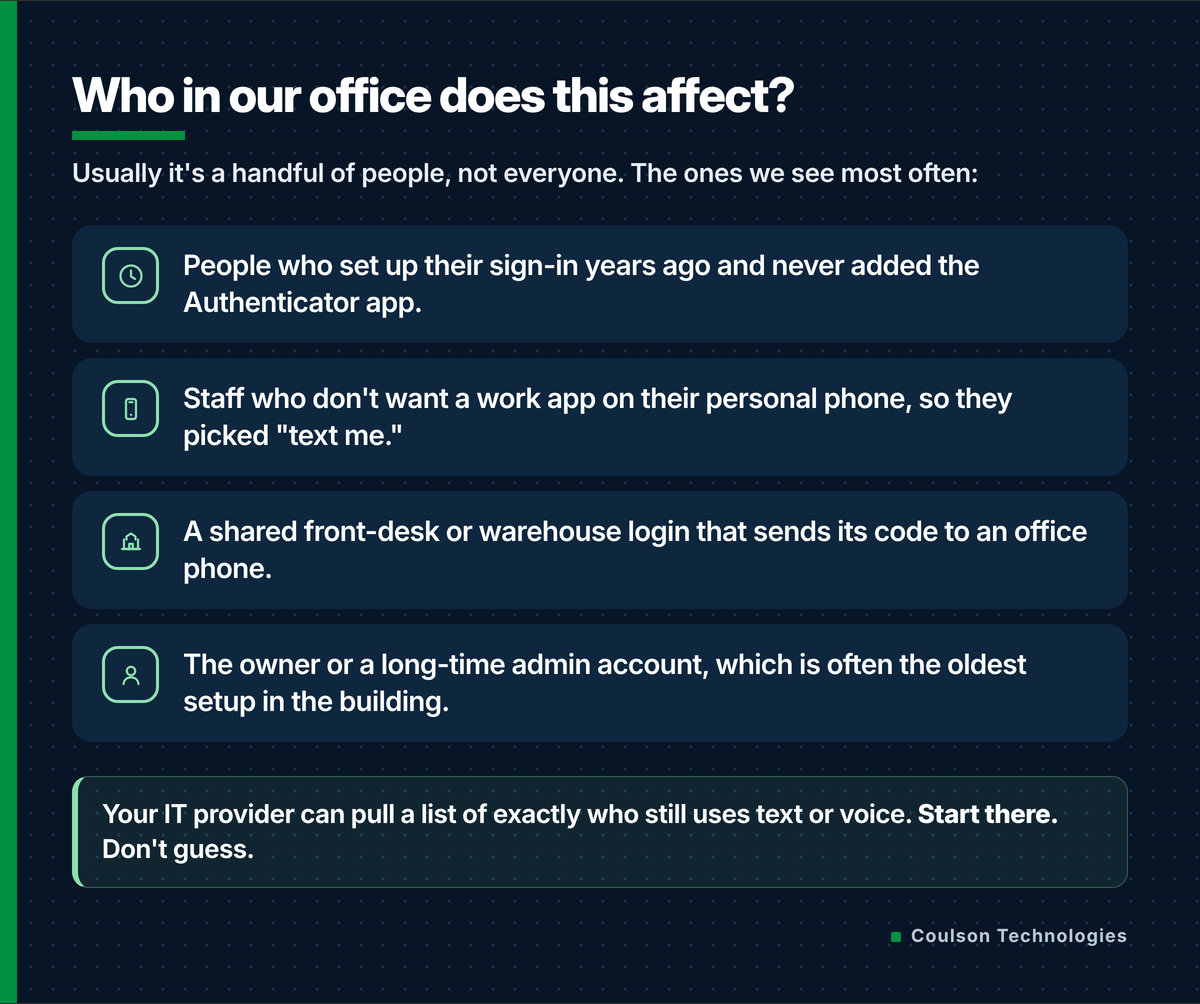
Microsoft publishes a report script for this, and it takes minutes.
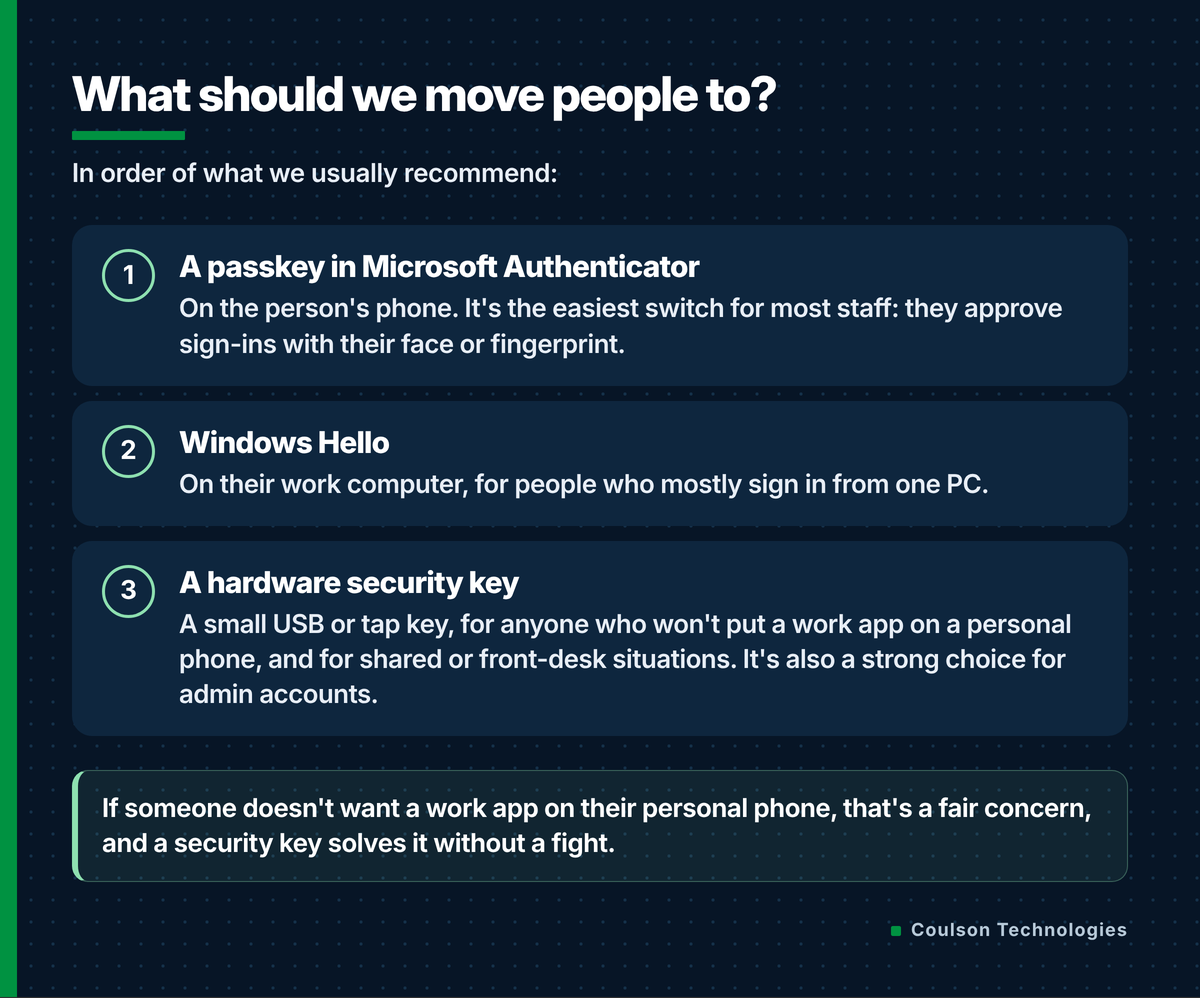
What should we move people to?
In order of what we usually recommend.
Can't we just keep text codes?
Technically, yes. Microsoft now lets businesses buy text and voice delivery from an outside telephone provider through its Security Store. That requires an eligible paid Azure subscription, a provider contract, and ongoing per-message costs.
For most small and mid-sized offices around here, that's the wrong fix. You'd be paying to keep the weakest sign-in method alive. Microsoft itself says to use it only where there's a real business, regulatory or technical need. We'd rather spend that effort getting people onto passkeys once.
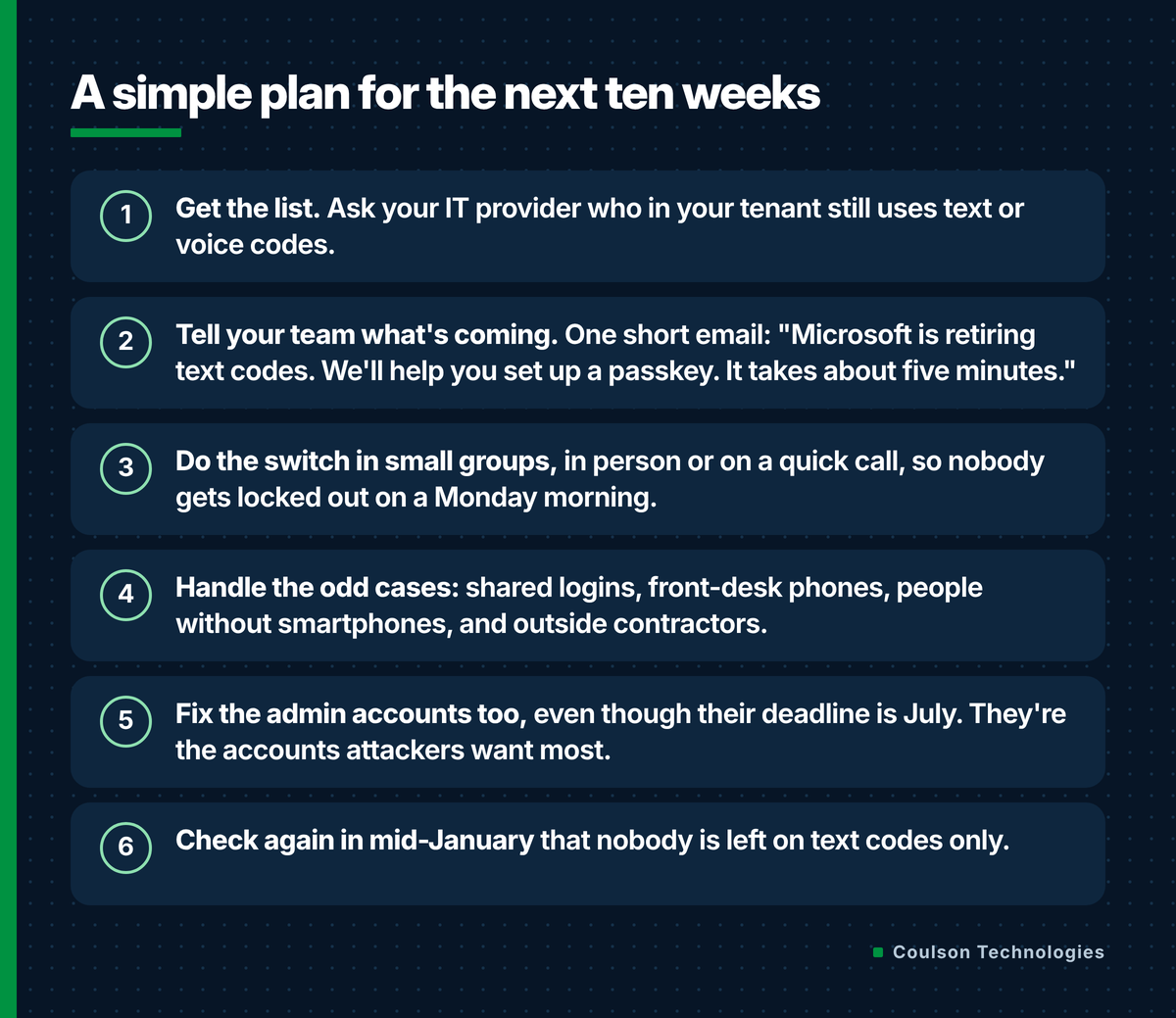
A simple plan for the next ten weeks
Work through it in this order.
Questions owners ask
When does Microsoft stop sending text-message sign-in codes?
Microsoft stops providing its own text and phone-call codes on February 1, 2027 for most users. Global Administrators and external users follow on July 1, 2027.
What happens if someone in our office is still on text codes after February 1?
If text or a phone call is their only sign-in method, Microsoft will require them to register a passkey before they can continue signing in. The prompt can't be skipped.
What is the passkey prompt my staff keep seeing?
Since September 1, 2026, Microsoft has been asking people who use text or phone codes to set up a passkey when they sign in. It's an early nudge ahead of the February 1 retirement.
Do we have to pay for anything?
Not to switch to a passkey in Microsoft Authenticator or Windows Hello. Hardware security keys cost money per key. Keeping text codes means buying delivery from an outside telephone provider, which most small offices don't need.
What if an employee won't use a work app on their personal phone?
Give them a hardware security key, or use Windows Hello on their work computer. Both meet Microsoft's requirement without putting anything on their phone.
Want a hand with it?
Coulson Technologies helps businesses across York, Lancaster, Harrisburg and South Central PA run their Microsoft 365. If you'd like us to pull your list of text-code users and plan the switch with you, reach out. Related: our Microsoft 365 services and Copilot Chat limits: do we need to buy Copilot?
Sources
- Microsoft Learn: Passkeys by default and retirement of Microsoft-provided SMS and voice authentication — https://learn.microsoft.com/en-us/entra/identity/authentication/concept-sms-voice-retirement
- Microsoft 365 Message Center MC1519855 (updated Oct 30, 2026): Choose your own telephony provider now generally available — https://mc.merill.net/message/MC1519855
- Microsoft Security blog (Jul 13, 2026): Passkeys are the default authentication method in Entra ID — https://www.microsoft.com/en-us/security/blog/2026/07/13/microsoft-entra-id-security-updates-passkeys-are-the-default-authentication-method-in-entra-id/